

Most people use AI the way they used smartphones in 2008 — they've downloaded one or two apps, poked around, and gone back to doing things the old way. The gap between what's available and what's actually adopted is enormous. A 2024 McKinsey survey found that while 72% of organizations report using AI in at least one business function, individual workers overwhelmingly stick to a single tool, usually a chatbot, and leave dozens of high-leverage applications untouched. The bottleneck isn't access. It's awareness of what specifically to use, and where.
This isn't a list of shiny objects. The tools covered here solve real, recurring friction points — writing that takes too long, tasks that slip through cracks, code that breaks in predictable ways, research that buries you before it enlightens you. Some of these applications have been around long enough to earn trust. Others are newer and worth understanding before they become the default.
What follows covers eight categories: writing, productivity, image and video generation, coding, research, health, finance, and a framework for deciding which tools actually deserve your time. Each section names specific applications and explains what they do well, where they fall short, and what assumptions you should question before committing. The goal isn't to turn your phone into an AI showcase. It's to help you identify the two or three tools that will genuinely change how your day works.
Your First Draft Was Never the Hard Part — AI Writing Tools Know That
The common pitch for AI writing tools is that they help you write faster. That's true but misleading. The real value isn't speed — it's the elimination of blank-page paralysis and the compression of revision cycles. Tools like ChatGPT, Claude, and Jasper don't just generate text; they give you something to react to. And reacting is almost always easier than creating from nothing. Writers who've used these tools regularly report that the biggest time savings come not from the first draft but from the third and fourth, where AI can restructure, tighten, and reformat existing content in seconds.
ChatGPT remains the most versatile general-purpose writing assistant, handling everything from email drafts to blog outlines to technical documentation. Claude, built by Anthropic, tends to produce longer, more nuanced outputs and handles complex instructions with fewer hallucinations in extended documents. Jasper targets marketing teams specifically, offering brand voice settings and campaign templates that save time if you're producing high volumes of ad copy or social posts.
Grammarly has evolved well beyond spell-check. Its AI-powered suggestions now cover tone adjustment, structural clarity, and audience-appropriate phrasing. Copy.ai focuses on short-form marketing content — product descriptions, headlines, email subject lines — and excels at generating multiple variations quickly so you can A/B test without writing each version yourself.
The honest limitation: none of these tools reliably produce publish-ready long-form content without human editing. They fabricate sources, drift from your intended argument, and default to a blandly agreeable tone unless you push back explicitly. The writers getting the most from AI treat it as a collaborator with no taste — technically competent, stylistically indifferent. Your job is still to know what good looks like. The AI's job is to get you there with fewer false starts.
The Dirty Secret of Productivity Apps: Most People Quit Them in Two Weeks — AI Might Fix That
Traditional task management tools fail for a specific reason: they require you to be organized before they can help you stay organized. You have to set up projects, define categories, establish workflows, and maintain all of it manually. AI-powered productivity tools flip that dynamic. They observe your behavior and infer structure, which means the tool gets smarter even when you're sloppy.
Notion AI layers generative capabilities directly into an already flexible workspace. You can ask it to summarize meeting notes, extract action items from a rambling brainstorm document, or auto-populate a project tracker from a plain-text description. It's most powerful for teams that already live inside Notion, since the AI has context from existing pages and databases. Motion takes a different approach entirely — it builds your daily schedule automatically by considering deadlines, priorities, and your calendar availability, then reschedules dynamically when things shift. The result feels like having a personal chief of staff who never sleeps.
Reclaim.ai operates similarly but focuses on protecting time blocks for deep work, habits, and personal tasks alongside professional commitments. Todoist has integrated AI to help with natural language task entry and intelligent due-date suggestions. Otter.ai transcribes meetings in real time and generates summaries with assigned action items, which solves the perennial "who agreed to do what" problem that plagues every team.
The counterintuitive insight here is that the best AI productivity tool isn't the most powerful one — it's the one that fits into what you already do. If you constantly context-switch between apps, adding another AI layer just adds noise. Pick one tool that addresses your single biggest time leak. For most people, that's either meeting follow-up or daily scheduling. Start there, measure whether it actually saves time after two weeks, and expand only after that threshold is met.
Generating an Image in Thirty Seconds That Would Have Taken a Designer Thirty Hours
Midjourney can produce a photorealistic interior design render from a single sentence. That capability would have required a skilled 3D artist, specialized software, and several days of work just five years ago. The speed isn't the remarkable part. The remarkable part is that non-designers can now communicate visual ideas with enough fidelity to make actual decisions — about products, marketing campaigns, architectural concepts — without producing a formal brief or hiring anyone.
Midjourney excels at aesthetic quality and artistic interpretation, particularly for illustration, concept art, and stylized imagery. DALL-E 3, integrated into ChatGPT, handles prompt comprehension better than its predecessors and produces clean commercial-style images suitable for presentations and social media. Adobe Firefly differentiates itself by training exclusively on licensed content, which matters enormously if you're producing images for commercial use and need to avoid copyright disputes.
On the video side, Runway ML offers tools for generating short clips, removing backgrounds, and applying style transfers to existing footage. Pika and Sora (from OpenAI) represent the next wave, generating video from text prompts with increasing coherence, though both still struggle with consistent character representation across scenes and accurate physics in complex motion.
- Midjourney produces the highest aesthetic quality for concept art and creative direction.
- DALL-E 3 offers the tightest integration with conversational AI for iterative prompt refinement.
- Adobe Firefly provides the safest path for commercially licensed image generation.
- Runway ML gives video editors AI-powered tools that plug into existing post-production workflows.
The trade-off nobody talks about enough: these tools generate images that look polished but often contain subtle anatomical errors, inconsistent lighting, or physically impossible spatial relationships. If you're using generated images for anything client-facing, a human designer still needs to review and correct the output. AI handles the heavy lifting of creation. The final ten percent of quality still belongs to a trained eye.
GitHub Copilot Doesn't Replace Developers — It Replaces the Worst Parts of Their Day
Software engineers don't spend most of their time solving hard problems. Studies from Microsoft Research show that developers spend roughly 40% of their working hours on tasks they'd classify as repetitive or low-complexity — writing boilerplate code, looking up API syntax, composing unit tests, formatting documentation. AI coding tools target exactly this dead zone. They don't make you a better architect. They make the boring parts shrink.
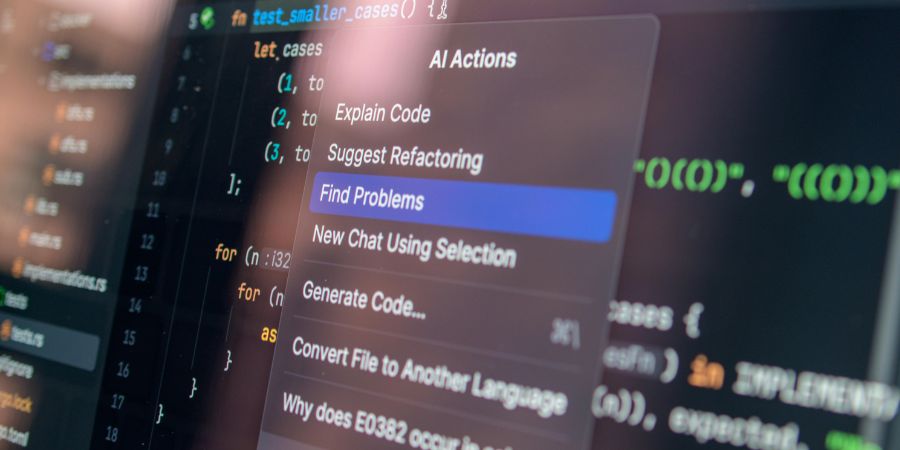
GitHub Copilot, powered by OpenAI's Codex model, works as an inline code completion tool inside VS Code, JetBrains, and other popular editors. It predicts what you're about to type based on context — the current file, open tabs, and your comments. For standard patterns in Python, JavaScript, TypeScript, and Go, its suggestions are accurate often enough to feel like pair programming with someone who never gets tired. Cursor takes the concept further by making the entire editor AI-native, allowing you to chat with your codebase, refactor across files, and generate code from natural language descriptions of behavior.
Tabnine offers a privacy-focused alternative, with models that can run locally and be trained on your organization's proprietary codebase — a critical distinction for companies handling sensitive code. Amazon CodeWhisperer integrates tightly with AWS services and includes built-in security scanning that flags generated code resembling known vulnerable patterns.
Here's where developers should be honest with themselves: AI-generated code passes initial review more easily than it should. Copilot can produce functions that look correct, pass basic tests, and still contain edge-case bugs that surface only under production load. The developers getting the most value from these tools use them for velocity on the straightforward parts, then invest the time saved into more rigorous testing and architectural thinking. The danger isn't that AI writes bad code. It's that AI writes plausible code, and plausible code is the hardest kind to scrutinize.
The Library of Alexandria Fits in a Chat Window — If You Know How to Ask
Perplexity AI has quietly become one of the most useful research tools available, and most people still haven't heard of it. Unlike a traditional search engine that returns a list of links, Perplexity synthesizes information from multiple sources into a cited, paragraph-form answer. It shows you where each claim comes from, letting you verify without opening fifteen tabs. For anyone doing competitive research, literature reviews, or technical due diligence, that workflow compression is significant.
Consensus takes the same approach but limits its corpus to peer-reviewed scientific papers. You ask a question in plain English — "Does intermittent fasting reduce inflammation?" — and it returns a summary of findings across relevant studies, with links to the actual papers. The constraint is its strength: you're querying filtered, peer-reviewed knowledge rather than the open web. Elicit, developed by the nonprofit Ought, lets researchers map the landscape of academic literature on a topic, identify methodology patterns, and extract structured data from papers at scale.
For learning, not just research, tools like Khan Academy's Khanmigo provide AI tutoring that adapts to your level and asks Socratic questions rather than simply giving answers. ChatGPT and Claude both function as capable learning companions for technical subjects, though their effectiveness depends entirely on how specifically you frame your questions. Vague questions produce vague answers. Detailed prompts — "Explain how TCP congestion control differs between Reno and CUBIC, with examples of when each performs better" — produce genuinely useful instruction.
The underappreciated risk with AI research tools is confirmation bias amplification. These systems are optimized to give you a satisfying answer. They're less good at telling you when a question is poorly framed or when the available evidence is genuinely inconclusive. The best researchers use AI to accelerate the gathering phase, then apply their own judgment to the interpretation phase. Outsourcing both steps to a chatbot doesn't make you informed — it makes you confidently uninformed.
Your Therapist Can't Track Your Sleep Data, But These Apps Can — And That Changes Things
Whoop, the wearable fitness tracker, uses AI to analyze heart rate variability, sleep stages, and strain data to generate a daily recovery score and personalized training recommendations. What makes this different from a basic fitness band isn't the sensors — it's the longitudinal pattern recognition. After several weeks, the AI learns your individual baseline and can flag when your recovery is declining before you feel it subjectively. Professional athletes have used this for years. The consumer version now offers the same capability.
On the mental health side, Woebot delivers cognitive behavioral therapy techniques through an AI chatbot interface. It's not a replacement for a licensed therapist, and it doesn't pretend to be — but for people on waitlists, or those who need support between sessions, it provides structured exercises grounded in evidence-based therapeutic frameworks. Wysa operates similarly, adding mood tracking and guided mindfulness exercises. Both apps are designed to lower the activation energy for mental health engagement, catching people in moments of distress when scheduling a human appointment isn't practical.
AI-powered nutrition tools like MyFitnessPal now use image recognition to estimate calorie and macronutrient content from a photo of your plate. The accuracy varies — it handles a grilled chicken breast better than a complex curry — but it removes enough friction from food logging that more people actually stick with the habit. Flo uses AI to provide personalized menstrual cycle tracking and health insights based on symptom patterns reported over time.
- Whoop excels at recovery optimization through continuous biometric monitoring and AI-driven baselines.
- Woebot and Wysa offer accessible CBT-based mental health support between professional sessions.
- MyFitnessPal's image recognition reduces the tedium that causes most people to abandon food tracking.
- Flo applies pattern recognition to menstrual health data for personalized cycle predictions.
The tension in AI health tools is straightforward: they can identify patterns faster than you can, but they can't contextualize those patterns the way a clinician does. An elevated resting heart rate could mean you're getting sick, or it could mean you drank coffee an hour later than usual. Use these tools to generate better questions for your doctor, not to generate your own diagnoses.
An Algorithm That Knows Your Spending Habits Better Than Your Accountant Does
Cleo, an AI-powered financial assistant, sends you blunt, sometimes sarcastic messages about your spending. It analyzes your transactions, identifies patterns — "You spent $387 at restaurants this month, which is 40% more than last month" — and offers specific suggestions for hitting savings goals. That personality-driven approach sounds like a gimmick, but it addresses a real problem: most budgeting apps present data that users ignore. Cleo's tone creates engagement, and engagement is the single biggest predictor of whether a financial tool actually changes behavior.
Monarch Money provides a more traditional comprehensive financial dashboard, but layers AI on top to auto-categorize transactions, forecast upcoming cash flow, and surface anomalies in your spending. For households managing multiple accounts, subscriptions, and income streams, the automation eliminates hours of manual reconciliation each month. YNAB (You Need a Budget) has begun integrating AI-assisted features into its zero-based budgeting framework, helping users allocate irregular income and predict category overspending before it happens.
For investing, Wealthfront and Betterment use algorithmic portfolio management — tax-loss harvesting, automatic rebalancing, and risk-adjusted allocation — that would cost several hundred dollars per hour from a human financial advisor. These robo-advisors aren't new, but their AI models have matured to handle more complex scenarios, including retirement projections that account for Social Security timing, healthcare cost inflation, and variable withdrawal strategies.
The thing most people get wrong about AI finance tools is expecting them to make you money. They don't. What they do is reduce the behavioral errors that cost you money — impulse spending, neglected subscriptions, poorly timed trades, failure to harvest tax losses. The financial cost of human inconsistency is enormous and well-documented. AI's value in personal finance isn't intelligence. It's patience. It applies the same rules every day without getting bored, emotional, or distracted. That consistency, compounded over years, is where the actual value accrues.
The Only Framework That Prevents You From Downloading Twelve Apps and Using None
Most people approach AI tools the way they approach a buffet — they load up on everything that looks interesting and finish almost nothing. The result is a phone full of subscriptions, a browser full of tabs, and the same manual processes they had before. Choosing an AI tool effectively requires a diagnostic step that almost everyone skips: identifying the specific, recurring task that costs you the most time or energy each week. Not the most exciting AI capability. The most annoying bottleneck in your actual workflow.
Once you've named that bottleneck, evaluate tools against three criteria that matter more than features:
- Integration friction: does it work inside tools you already use daily, or does it require a separate window and context switch?
- Time to value: can you get a useful output within the first ten minutes, or does it require hours of setup and customization?
- Failure cost: what happens when the AI gets it wrong — is the output easy to check and correct, or could an error cascade downstream?
A coding assistant that lives inside your editor has lower friction than one that requires pasting code into a web interface. A writing tool that produces a usable draft in thirty seconds delivers faster value than one requiring elaborate prompt engineering. A financial tool that miscategorizes a transaction is easily corrected; a health tool that provides a misleading diagnosis carries far higher failure cost.
Free tiers and trials exist for nearly every tool mentioned in this article. Use them, but set a deliberate evaluation period — two weeks is enough to know whether something genuinely integrates into your routine. If you haven't opened an app voluntarily by day fourteen, uninstall it without guilt. The best AI tool for you isn't the most powerful one on the market. It's the one you'll actually use on a Wednesday afternoon when you're tired and just need to get something done. Build your AI toolkit around real habits, not aspirational ones.
The sheer volume of AI tools available right now creates an illusion that using more of them makes you more capable. It doesn't. The people extracting genuine value from AI are using one or two tools deeply, not eight tools superficially. They've identified a specific pain point, tested a specific solution, and built that solution into a daily habit that runs almost automatically. The broader shift here isn't about any individual app — it's about the gradual delegation of cognitive grunt work to systems that handle it more consistently than you do. That delegation frees your attention for work that actually requires human judgment, creativity, and taste. The tools will keep improving. Your ability to choose wisely among them is the skill that compounds.